Pilog

a local-first developer journal

Capture before
you forget.
Triage when you’re ready.

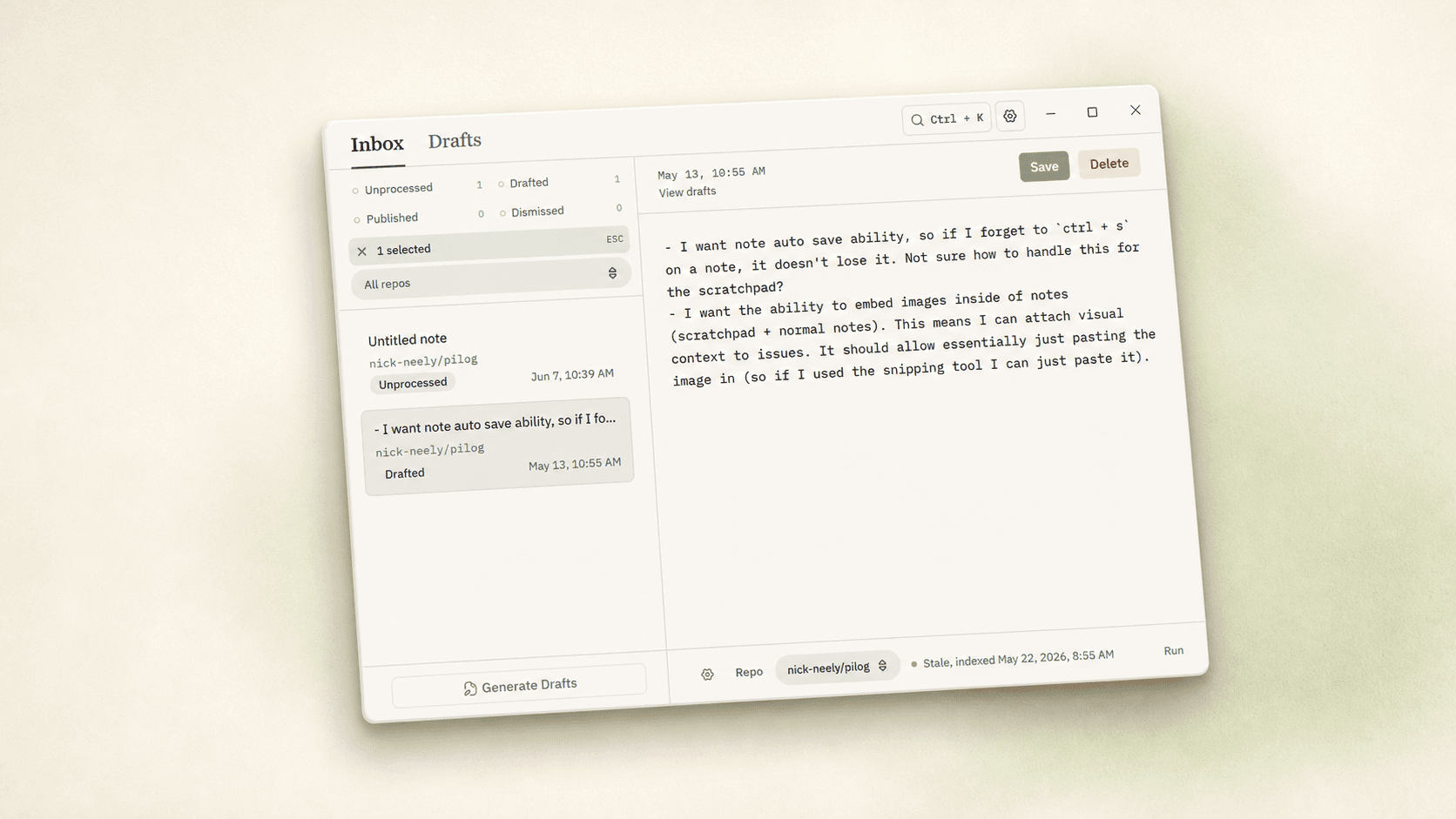
Pilog is a quiet markdown scratchpad on a global hotkey and an inbox that turns the pile of rough notes into repo-aware GitHub issue drafts. You write what you noticed in flow; Pilog drafts the issues when you have a moment.

The Pilog mark: a stylized Pi on a paper note

02 — the move

Five rough notes become two drafts you can publish.

what you typed

  1. 09:42save btn → no loading state; ghost click bug
  2. 10:11auth redirect broken on /settings — middleware?
  3. 10:24mobile spacing off in <SettingsRow> 12px not 16
  4. 13:02mobile spacing also in <Inbox/>, same root?
  5. 14:55“save” triggers twice when offline, dedup queue

what Pilog drafts

issue draftconfidence: high · 2 source notes

Save button is missing a loading state and double-fires offline

Two notes from 09:42 and 14:55 describe the same async-write race. Suggested: pessimistic spinner + queue-side dedup keyed on payload hash.

  • src/ui/save-button.tsx
  • src/lib/queue.ts
issue draftconfidence: medium · 2 source notes

Spacing scale regression in settings + inbox rows

Two notes flag a 12px gap where the scale expects 16px. Likely a shared token misuse, not two bugs.

  • src/components/settings-row.tsx
  • src/components/inbox/row.tsx

03 — what’s inside

A capture surface, a triage surface, and almost nothing else.

01

Capture is the gesture

A global hotkey opens a markdown scratchpad with no chrome competing with what you’re writing. The window is waiting for you, not demanding attention. HitCtrlSto save, anywhere is gone before you finish moving your hand.

02

Drafts you can audit

Every issue draft is anchored visibly to its source notes and a short reasoning summary. Confidence is named. Nothing is hidden behind an expander.

draftconfidence: high

Save button needs a loading state

  • src/ui/save-button.tsx

from notes at 09:42, 14:55

draftconfidence: medium

Settings & inbox spacing regression

  • src/components/settings-row.tsx

from notes at 10:24, 13:02

Nothing leaves your machine until you press publish on a specific draft.
03

Local-first by default

Notes, drafts, agent run history live in local SQLite. Secrets live in your OS keychain. There is no Pilog server.

  • ~/.pilog/journal.sqlite
  • os-keychain://pilog.gh.token
  • provider keys → byok via pi
04

Repo-aware drafts

The agent reads the active repository alongside your notes — affected files, labels, owners, prior issues — and proposes drafts that actually fit.

repo: nick-neely/pilog
labels: bug, ux-polish
codeowners: @nick-neely
prior: #142 (similar)

04 — keyboard-first

Every action has a key.

The hotkey-driven scratchpad is the product’s defining gesture. The rest of the app honors it. The few you’ll learn first:

  • 01CtrlSpaceopen the scratchpad
  • 02Ctrl1open Inbox
  • 03Ctrl2open Drafts
  • 04GDgenerate drafts
  • 05Ctrlpublish the draft you’re reading
  • 06JKmove through notes and drafts
  • 07Escstep back or clear context

05 — the stance

  1. Capture before triage.

    The scratchpad is a sanctuary, not a form. No chrome competes with the writing. Required fields, label pickers, and repo selectors live elsewhere or are deferred until triage. The first beat of the experience is just typing.

  2. Show the source, always.

    Every generated draft is anchored visibly to its source notes and a short, user-facing reasoning summary. Confidence is named, rationale is concise, and the raw notes are never hidden behind an expander by default.

  3. Local-first is a stance, not a fallback.

    Notes, drafts, repo metadata, and agent run history live in local SQLite. Secrets live in OS credential storage. The product makes obvious what leaves the machine and when.

06 — close the loop

A bedside journal
for your repo.